• Shopping Cart Shopping Cart
    0Shopping Cart
Medical Supply Solutions
  • SERVICES
  • PRODUCTS
    • Durable Medical Equipment
    • General Medical Supplies
    • Incontinence Supplies
  • ABOUT US
  • SALES REPS
  • CONTACT US
  • BLOG
  • Menu Menu
How to Choose Medical Office Equipment?

How to Choose Medical Office Equipment?

Choosing medical office equipment is a practical decision about care, workflow, and long-term costs. A reliable exam table, clear diagnostic display, and correctly sized blood-pressure cuff can make routine visits smoother. A poor fit can slow staff and frustrate patients. Small details matter.

The scale is substantial. The CDC’s National Ambulatory Medical Care Survey reported 883.7 million visits to office-based physicians in 2019. That figure is not an equipment-market estimate, but it shows how often clinical tools support everyday care. When comparing options, consider intended use, ease of cleaning, staff training, maintenance access, and compatibility with existing systems. Check the full ownership cost, too—not just the purchase price. A low-cost device may require costly service or disrupt a crowded room.

Surgeon and author Atul Gawande wrote in The Checklist Manifesto, “The volume and complexity of what we know has exceeded our individual ability to deliver its benefits correctly, safely, or reliably.” His warning speaks to equipment decisions: even capable teams need dependable processes. A shortlist, hands-on trial, and written maintenance plan can help. But no checklist catches every mismatch. A device that works beautifully in a demonstration may feel awkward during a full clinic day. Ask the people who will use it. Then test the fit against real patient flow, available space, and service support before buying.
How to Choose Medical Office Equipment?
Table of Contents [Hide]
1 Define Clinical Needs and Patient Workflow
2 Identify Essential Equipment for the Medical Specialty
3 Check Safety, Regulatory, and Ergonomic Requirements
4 Compare Equipment Quality, Compatibility, and Total Cost
5 Plan Purchasing, Installation, and Ongoing Maintenance

Define Clinical Needs and Patient Workflow

Choosing medical office equipment starts with the work, not the catalogue. Map a typical visit from check-in to room turnover. Note where staff take vital signs, document findings, clean surfaces, and move supplies. A practical walkthrough can reveal that a monitor blocks a drawer or a scale sits too far from the exam room. Small obstacles repeat all day.

Volume matters. The CDC’s 2018 National Ambulatory Medical Care Survey estimated 883.7 million visits to office-based physicians in the United States. That figure makes room turnover and reliable access worth planning for. List common visit types, then match equipment to actual tasks: blood pressure checks, examinations, minor procedures, or mobility support. Leave clear paths for patients using mobility aids. Keep frequently used items within staff reach, but preserve space for cleaning and safe movement.

Safety should shape the layout, too. The World Health Organization’s patient-safety fact sheet reports that about one in ten patients experiences harm in healthcare, with more than half of harm considered preventable. It does not mean equipment placement alone prevents harm, but clutter and awkward movement deserve scrutiny. One uncomfortable truth: the tidiest plan on paper may slow a busy clinic. Test the arrangement during a realistic room setup, ask staff what feels cumbersome, and revise before purchasing. Some needs will be missed. That is a reason to reassess, not to pretend the first plan is perfect.

Identify Essential Equipment for the Medical Specialty

Identify Essential Equipment for the Medical Specialty

Start with the care your clinicians actually provide, not a generic shopping list. A family medicine room may need an examination table, calibrated blood-pressure monitor, scale, thermometer, otoscope, and pulse oximeter. Cardiology may call for diagnostic ECG equipment, while dermatology often relies on dermatoscopes and focused procedure lighting. For each item, consider who will use it, how often, and whether it supports a specific service. It matters. The National Center for Health Statistics’ 2018 National Ambulatory Medical Care Survey estimated 883.7 million office-based physician visits. That high volume makes room turnover, cleaning, and dependable measurements practical equipment criteria—not afterthoughts.

Map equipment to patient mix and workflow. A pediatric clinic may need child-sized cuffs and scales; an obstetrics practice may require fetal monitoring or ultrasound, depending on its services. Before purchase, check manufacturer specifications, maintenance needs, staff training requirements, and whether supplies fit the device. CDC infection-prevention guidance also emphasizes cleaning and disinfection of reusable patient-care equipment between uses. A low-cost device can become an expensive bottleneck if it is hard to clean or maintain. I would question any list that treats every specialty room alike. Even within one specialty, patient ages and procedures differ. Document what is essential, what is shared, and what can wait; then review the list with clinical staff and facilities personnel.

Check Safety, Regulatory, and Ergonomic Requirements

Choosing medical office equipment means checking safety, regulatory fit, and ergonomics before comparing prices. Match each device to its intended clinical use, and confirm applicable approval, registration, and labeling requirements in your region. In the United States, the FDA classifies medical devices by risk; requirements vary by class and device type. Keep manuals, inspection records, and maintenance schedules accessible. Small details matter.

Ergonomics is a safety issue, not just a comfort feature. The U.S. Bureau of Labor Statistics reported 4.5 recordable injury and illness cases per 100 full-time workers in health care and social assistance in 2022, versus 2.7 across private industry. That figure covers many causes, not equipment alone, but it supports careful workstation planning. Check whether staff can adjust examination tables, reach frequently used supplies without twisting, and move carts through doorways without strain. Test the setup with the people who will use it. A checklist can still miss awkward daily movements.

Tips: Before purchase, check stability, cleanable surfaces, cable routing, weight limits, and service access. Ask staff to demonstrate routine tasks with the equipment. Then document any fit problems; fixing them later may be harder.

How to Choose Medical Office Equipment? — Check Safety, Regulatory, and Ergonomic Requirements

Equipment Category Safety and Regulatory Checks Ergonomic and Accessibility Considerations What to Verify Before Purchase
Examination table Check the stated patient weight capacity, stability, locking mechanisms, and safe operation of powered components. Follow the manufacturer’s cleaning and maintenance instructions. Consider height adjustment, accessible transfer options, patient positioning, and space for a clinician to work without awkward reaching. Allow room for mobility devices where needed. Confirm the table’s maximum load, adjustment range, transfer clearances, upholstery compatibility with clinic cleaning products, and service requirements.
Diagnostic equipment
(for example, blood pressure monitors or thermometers)
For products regulated as medical devices in the United States, check the device’s intended use and applicable FDA status. FDA registration or listing alone does not mean that FDA has approved or cleared a device. Choose displays that are easy to read and controls that staff can reach comfortably. Select suitable cuff sizes and accessories for the patient population. Review labeling, measurement range, accuracy specifications, calibration or verification instructions, cleaning directions, and availability of replacement accessories.
Electrically powered medical equipment Use equipment appropriate to its intended clinical environment. Check electrical ratings, grounding or insulation requirements, alarms, and inspection and maintenance instructions. Follow applicable electrical and workplace safety requirements. Place controls and displays within a comfortable viewing and reaching zone. Manage cables to reduce trip hazards and avoid blocking access to outlets or walkways. Verify the power supply requirements, applicable safety documentation, preventive-maintenance schedule, cable condition, and compatibility with the clinic’s electrical setup.
Instrument reprocessing equipment
(for example, an autoclave)
Follow the device instructions and applicable infection-prevention requirements. Staff should be trained in the selected sterilization cycle, loading, monitoring, and documentation procedures. Position the unit so staff can load and unload it without excessive lifting or reaching. Provide a suitable work surface and a clear separation between clean and contaminated workflows. Check cycle specifications, load capacity, water and ventilation needs, required monitoring supplies, maintenance support, and compatibility with the instruments being processed.
Sharps containers and regulated-waste supplies Where the OSHA Bloodborne Pathogens Standard applies, follow its requirements for exposure-control plans, sharps disposal, and appropriate containers. Use containers designed for the waste stream and follow local disposal rules. Place sharps containers close to the point of use and within easy reach, without requiring staff to carry exposed sharps through the room. Keep containers accessible but secure from patients and children. Confirm the container is closable, puncture-resistant, leak-resistant on the sides and bottom, and labeled or color-coded as required for its use and jurisdiction.
Clinical seating and workstations Check stability, cleanability, and suitability for the intended clinical or administrative area. Ensure furniture does not obstruct exits, equipment access, or required circulation routes. Look for adjustable seating and work surfaces where tasks vary. Arrange frequently used items within comfortable reach and position screens to limit neck and eye strain. Assess adjustability, seat support, cleanable materials, workstation fit, and the space needed for staff movement and task changes.
Accessible routes and room layout For facilities subject to the 2010 ADA Standards in the United States, a typical accessible walking surface route is at least 36 inches wide, and an accessible door opening is generally at least 32 inches clear when the door is open 90 degrees. Applicable exceptions and other requirements may affect a specific layout. Keep routes, doorways, and approach spaces clear of equipment, cords, and stored supplies. Consider turning and transfer space for patients using mobility devices. Measure the actual clear route and door opening, check applicable accessibility requirements for the facility, and test the layout with equipment in its normal operating position.
Storage and medication or supply cabinets Use secure storage appropriate to the contents. Follow applicable requirements for medication security, temperature-sensitive supplies, and hazardous materials. Store frequently used items between comfortable shoulder and waist-level reach where practical. Avoid heavy items on high shelves and keep storage from narrowing accessible routes. Check locking needs, shelf load limits, temperature-monitoring needs when relevant, cleanability, and whether staff can retrieve supplies without climbing or overreaching.

Scope note: Requirements depend on the equipment’s intended use, the type of practice, and the applicable jurisdiction. Confirm current federal, state, and local requirements with qualified compliance, facilities, or clinical-safety personnel before purchase and installation.

Compare Equipment Quality, Compatibility, and Total Cost

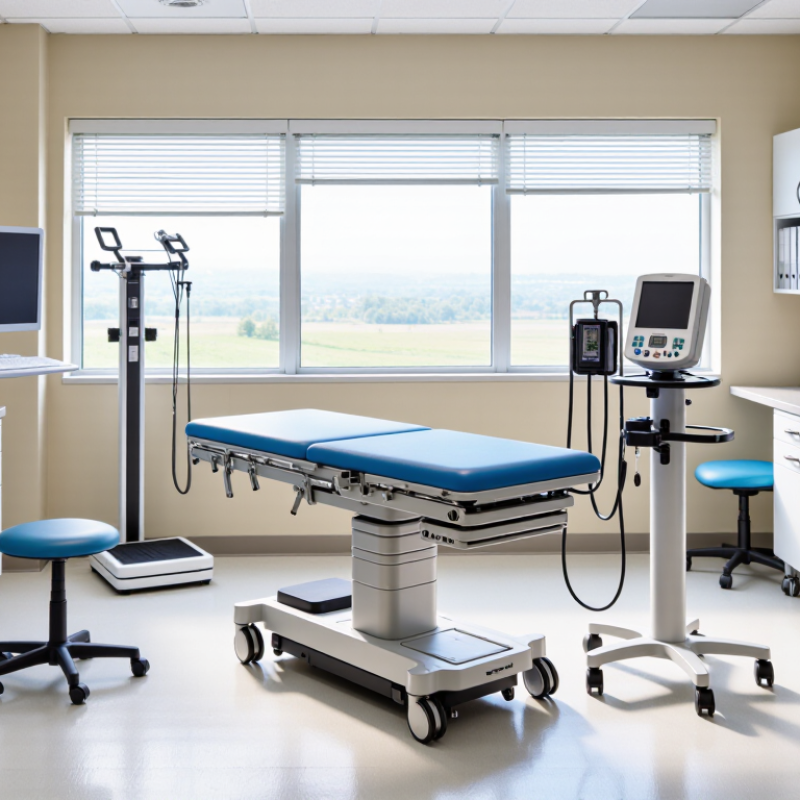
When comparing medical office equipment, start with the work it must support. A diagnostic table used for daily examinations needs stable movement, easy cleaning, and controls staff can reach without stretching awkwardly. Check load limits, adjustment range, surface materials, and operating instructions.

Small details matter.

A loose cable or hard-to-clean seam can slow room turnover. Ask for service records, warranty terms, and a realistic maintenance estimate. Product descriptions rarely show how equipment feels during a busy clinic day.

Compatibility is just as important as quality. Measure doorways, room clearances, and available power before ordering.

Fit comes first.

Confirm that equipment works with existing accessories, software, and electrical connections; “compatible” can mean different things to different suppliers. If possible, test the setup with staff who will use it. Their feedback may catch a reach problem that a floor plan misses.

Compare total cost, not just purchase price. Include delivery, installation, training, consumables, repairs, and downtime. A lower quote can become expensive if parts take weeks to arrive.

Maintenance needs vary, so estimates are not promises. Keep your comparison sheet with specifications, service estimates, and room measurements.

Plan Purchasing, Installation, and Ongoing Maintenance

How to Choose Medical Office Equipment?

Choosing medical office equipment starts with a practical room-by-room plan. List the tasks each device must support, who will use it, and how often. Measure doorways, counters, and walking space before placing an order. Measure twice. A treatment table may fit on paper but block a cabinet once installed. Compare the full cost, including delivery, setup, staff training, supplies, and expected servicing. The lowest purchase price can become expensive if parts are difficult to obtain.

Plan installation before equipment arrives. Confirm floor strength, outlet locations, network access, and any required plumbing or ventilation. Ask the installer what site preparation is needed and who will test the equipment after setup. Keep walkways clear, and check that staff can reach controls without awkward stretching. Small delays happen. A missed delivery detail can leave a clinic room unusable for a day, so confirm dates and responsibilities in writing.

Ongoing maintenance needs an owner, not just a calendar reminder. Create a log for inspections, cleaning, repairs, and calibration when applicable. Follow the equipment’s instructions and arrange qualified service for tasks staff are not trained to perform. Keep essential contact details and service records near the device or in an accessible digital system. Review the plan when workflows change; honestly, a schedule that looks tidy may still be unrealistic during a busy week.

Related Posts

  • 10 Tips for Buying Medical Office Equipment?

    10 Tips for Buying Medical Office Equipment?

  • How to Source Medical Equipment and Supplies Globally?

    How to Source Medical Equipment and Supplies Globally?

  • 10 Tips for Buying Medical Office Equipment Worldwide

    10 Tips for Buying Medical Office Equipment Worldwide

  • China Top Medical Equipment Store for Global Buyers?

    China Top Medical Equipment Store for Global Buyers?

  • How to Choose a Reliable Medical Equipment Shop?

    How to Choose a Reliable Medical Equipment Shop?

  • How to Find a Reliable Medical Equipment Shop?

    How to Find a Reliable Medical Equipment Shop?

Blog Tags:

  • medical office equipment suppliers
  • medical office furniture
  • medical clinic equipment
  • medical equipment manufacturers
  • medical equipment wholesale
  • medical supplies wholesale
© 2026 Medical Supply Solutions :: Website by Integritive Web Design :: Asheville, NC
Scroll to top Scroll to top Scroll to top